1. The three share links
Every rundown has three share links, one per audience, available from the Share dialog in the editor. Each is a URL of the form runsheet.show/r/<token>, where the token determines both which rundown opens and which view the visitor gets:
- Control— the show caller’s screen. Full rundown, live times, drift indicator, and the controls: Start Show, NEXT, jump, Hold/Resume, messages to screens, End Show.
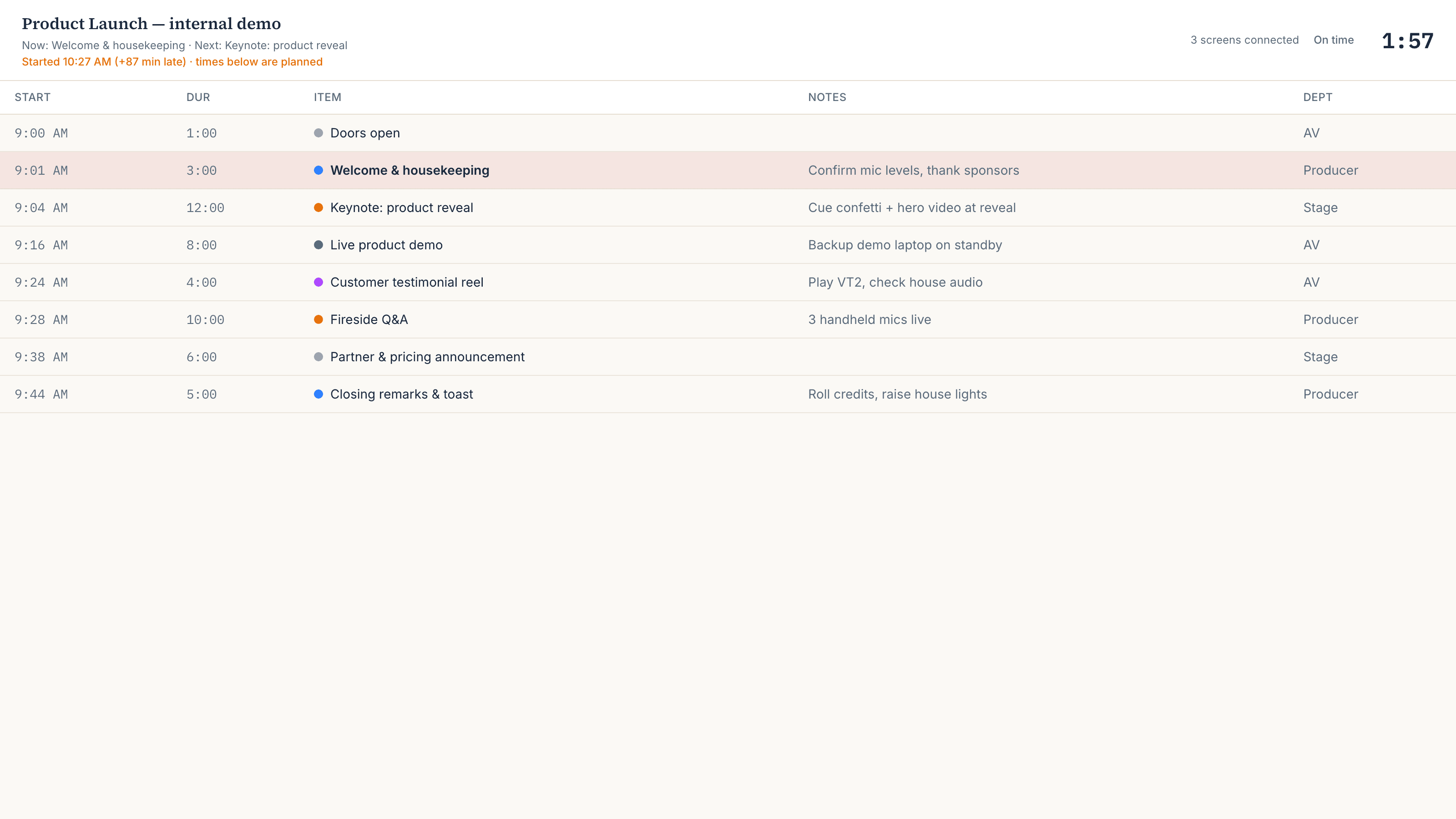
- Crew — read-only. The full rundown with the current row highlighted, the countdown, and any message the caller pushes.
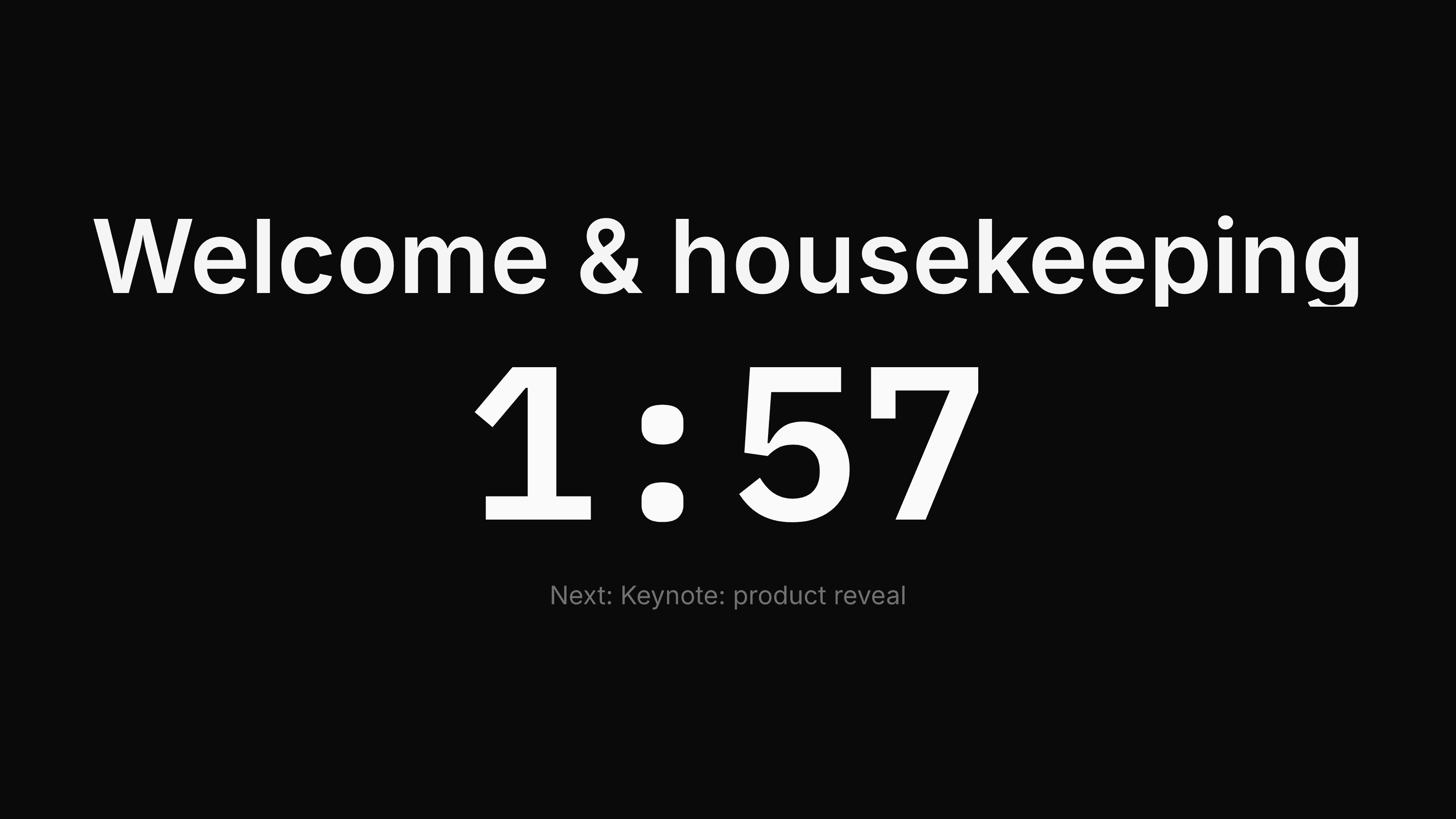
- Stage— the talent monitor. The current item and its countdown, rendered huge, plus what’s next and any pushed message. Nothing else.
2. Viewers don’t need accounts
Only the rundown’s owner has a Runsheet account. Everyone else opens their link in any browser — laptop, tablet, phone — and is immediately on the right view. There is no app to install, no login to distribute, and nothing for a volunteer camera operator to set up five minutes before doors.
The flip side: a link is the access.Anyone who has the control link can drive the show, so share it like a key — the crew and stage links are the ones to paste into the crew group chat. Links don’t expire and can’t currently be regenerated; if the control link has spread further than you like, the practical fix today is to duplicate the rundown’s content into a fresh rundown, which gets fresh links.
3. How connected screens are counted
A “connected screen” is a device that currently has one of the share links open. Each open screen checks in continuously; a screen that closes (or loses its connection) stops counting within about 45 seconds. There is no per-person or per-device registration — three browser tabs on one laptop are three screens.
On the free plan, 3 screens can be connected to a show at once. Two details of how that limit is enforced:
- The control screen is exempt and doesn’t count. The operator running the show can never be locked out mid-show by the screen limit; the 3 free slots are all for crew/stage viewers.
- Screens already connected keep their slot. The limit applies when a new screen tries to join: the fourth concurrent viewer on a free plan sees an upgrade notice instead of the live view, while the first three stay connected.
4. Free plan and Pro
The free plan is the full product with two caps; Pro removes them. There are no feature gates beyond these:
- Free — 1 active rundown, 3 connected screens per show. Full editor, full live mode, paste-import, print/PDF, all three share links.
- Pro, $19/month — unlimited rundowns and unlimited connected screens. Monthly billing via Stripe, cancel anytime from the billing page.
“Active” means a rundown whose show hasn’t been ended yet. When you end a show (see Live mode and time reflow), that rundown is done and stops counting, so a free account can run one event after another — just one at a time. Current pricing is always at runsheet.show/pricing.